C++ CLI Tooling
Every program needs a way to take input, do some work, and report a result. For the tools in this course, that boundary is a CLI. The same executable should run by hand, from a script, or in CI without changing the core logic.
Start with the CLI contract
A command-line tool has a small interface to the outside world. It has a
handful of input channels (argv, config files, stdin)
and a few output channels (stdout, stderr, an exit code), plus whatever side
effects it has on disk or the network.
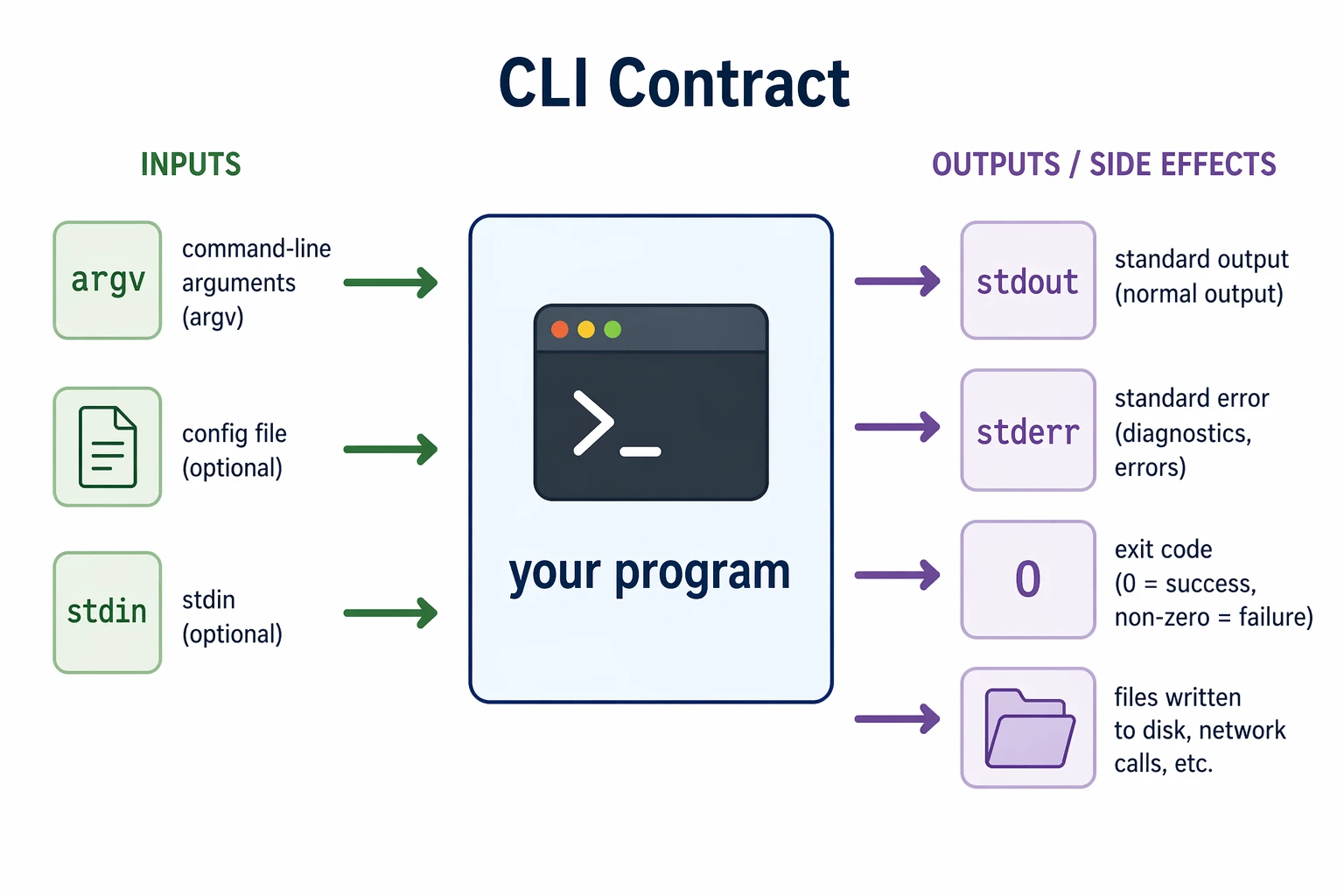
The small contract is what makes a CLI easy to script, call from CI, or combine
with another program. Treat it as an interface rather than whatever happens to
fall out of main.
Use this configuration order:
- defaults in the program;
- values from a config file; and
- command-line flags for this run.
Later sources override earlier ones. That is not the only possible policy, but it is easy to explain and test. Whatever order you choose, do not let it depend on which parsing function happened to run last.
CMake is a graph of targets
A CMake project is a graph. Libraries and executables are targets; calls such
as target_link_libraries add dependency edges. CMake uses the graph to work
out build order and carry usage requirements to consumers.
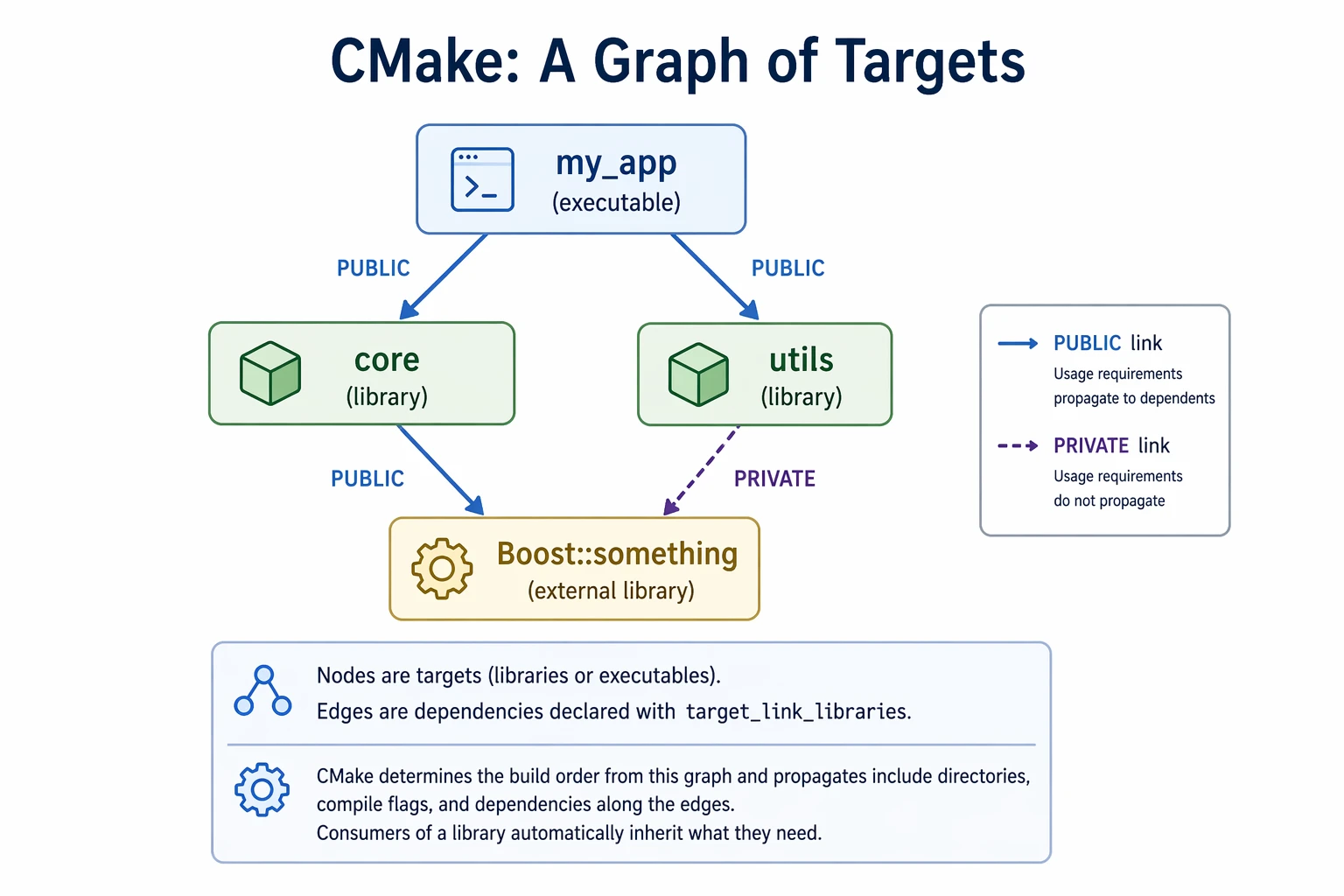
Use PUBLIC when a dependency is part of a target's interface and its consumers
also need that dependency's usage requirements. Use PRIVATE when only the
target's implementation needs it. In the diagram, core exposes its Boost
dependency while utils keeps Boost internal.
A minimal example:
cmake_minimum_required(VERSION 3.15)
project(my_app CXX)
set(CMAKE_CXX_STANDARD 17)

add_library(core src/core.cpp)
target_include_directories(core PUBLIC include)

add_executable(my_app src/main.cpp)
target_link_libraries(my_app PRIVATE core)
Prefer package targets
find_package asks CMake to locate a dependency. When the package provides an
imported target, link that target instead of manually collecting include paths
and -l flags:
find_package(Boost REQUIRED COMPONENTS program_options)

target_link_libraries(my_app PRIVATE Boost::program_options)
Boost::program_options carries the usage requirements supplied by the package.
Not every older CMake package exposes a target this cleanly, but use one when it
does.
REQUIRED makes a missing dependency fail during configuration. I prefer that
to letting the build continue toward a harder-to-read compiler or linker error.
Keep I/O at the edges
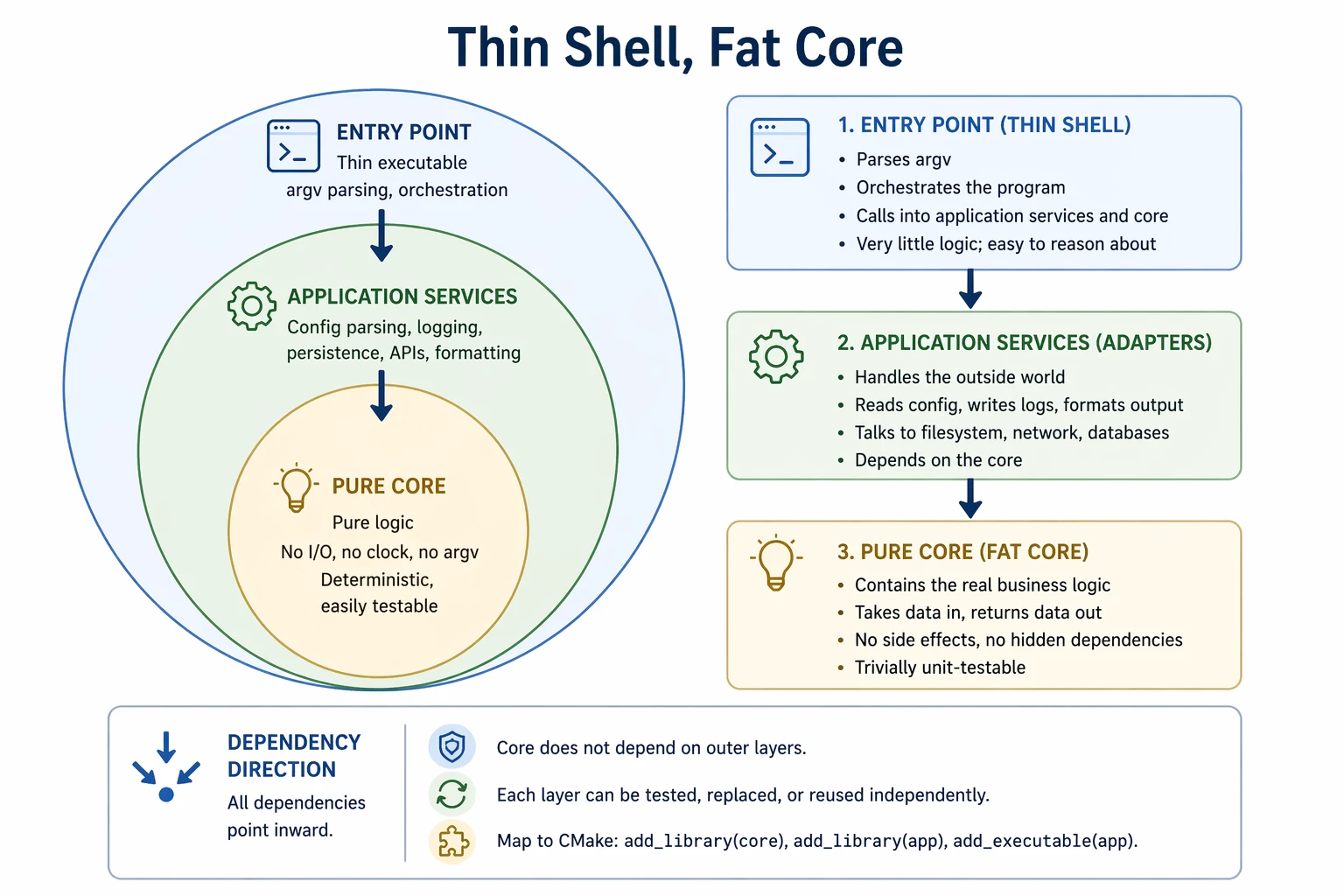
Parse argv and config files in the executable, resolve their precedence, and
pass a typed configuration into the library. If you use Boost.Program_options,
keep its variables_map at that boundary.
The logic core should take ordinary values and return ordinary results instead of reaching for the filesystem, clock, network, or command line. An application layer can handle files and external services when those do not belong in the executable itself.
Make the core a library target and the CLI a small executable target. Tests can
call the library without faking argv or scraping terminal output.
Report failures
Three conventions cover most small tools:
- Exit
0on success and non-zero on failure. - Send normal output to
stdoutand diagnostics tostderr. - Say what failed and include the relevant file, option, or value.
Do not catch an exception only to print "Error". The message should give the
person running the tool a next step.
int main(int argc, char** argv) {
    try {
        // ... real work here
        return 0;
    } catch (const std::exception& e) {
        std::cerr << "error: " << e.what() << "\n";
        return 1;
    }
}
Assignment
Apply these ideas in the Satellite Temperature Monitor, a small C++/CMake simulation that reads two redundant sensors, averages them, and flags out-of-range temperatures. The target names, flags, and output files are fixed so an autograder can check the same contract on every push.
Go to gtcloudrobotics/satellite-temperature-monitor,
click Use this template, then clone your copy. Run python3 run_tests.py
locally before you push; GitHub Actions runs the same checks.